Showing posts with label Wordpress. Show all posts

Cara Deface Website Sekolah sch.id CMS dengan Mudah

Cara Deface Website Sekolah sch.id CMS dengan Mudah. Pernahkah teman teman mendengar kata deface atau mungkin website sekolah telah di bobol oleh hacker? Jika teman teman pernah mendengarnya maka di sini saya akan memberikan tutorialnya yaitu menggunakan bantuan dork, apa itu dork? secara mudahnya kita bisa definisikan untuk mengetahui website sekolah yang dapat kita bobol.

Cara Deface Website Sekolah sch.id CMS dengan Mudah

Lalu bagaimana cara untuk mendapatkan dork supaya kita bisa mengetahui website sekolahan yang bisa di bobol dan yang tidak. Berikut adalah beberapa dork yang bisa teman teman gunakan untuk mencari celah dari website sekolahan yang akan kita jadikan target.

Dork;

inurl:"/html/siswa.php?"
inurl:"/html/alumni.php?"
inurl:"/html/guru.php?"

Di atas adalah 3 dork yang sudah siap di gunakan untuk mencari celah dari suatu website sekolah, dengan begitu berarti kita bisa membobol suatu website yang ada celahnya.

1. Pertama teman teman copy dari salah satu code dork di atas dan kemudian paste di google.

Cara Deface Website Sekolah sch.id CMS dengan Mudah

2. Jika sudah menemukan target yang akan di bobol maka silahkan bisa langsung di klik pada target tersebut, di sini saya mengguankan target yang nomor 1 yaitu SMK NEGERI 1 JUWIRING KLATEN. Jika sudah maka tampilannya akan seperti di bawah ini

Cara Deface Website Sekolah sch.id CMS dengan Mudah

3. Silahkan teman teman ganti alamat urlnya dengan alamat seperti di bawah ini, tinggal di tambahin sedikit code saja.

http://public_html/dir/editor/filemanager/connectors/test.html

Sehingga akan menjadi seperti gambar di bawah ini, silahkan lihat gambar jika kurang jelas teman teman.
Cara Deface Website Sekolah sch.id CMS dengan Mudah

4. Setelah tampilannya seperti pada gambar di atas maka kita tinggal tekan enter, maka nanti hasil tampilannya akan seperti pada gambar di bawah ini.

Cara Deface Website Sekolah sch.id CMS dengan Mudah

5. Silahkan teman teman ganti pada bagian ASP menjadi PHP, kemudian pilih file yang akan di upload, ada beberapa type yang bisa di upload diantaranya gambar, text dan lain sebagainya (ganti saja pada bagian Resource Type).

6. Apabila file sudah berhasil di upload maka akan ada notifikasi seperti pada gambar di bawah ini teman teman. Silahkan bisa di lihat gambarnya.

Cara Deface Website Sekolah sch.id CMS dengan Mudah


7. Selesai.

Bagaimana teman teman cara mendeface website sekolahan? begitu mudah bukan? Semoga tutorial ini bermanfaat dan membantu teman teman sehingga kita mempunyai banyak pengetahuan tentang ilmu deface website.

Sekian dan terimakasih.

Cara Mengatasi Website yang Tidak Bisa di Akses

Cara Mengatasi Website yang Tidak Bisa di Akses. Permasalahan mengenai website tidak bisa di buka ada begitu banyak sekali masalahnya, namun hal yang sering terjadi saat website kita tidak bisa di buka cenderung ada tida penyebab, padahal website yang lainnya bisa di akses namun untuk beberapa website ada yang tidak. Tiga penyebab website tidak bisa di buka yaitu sebagai berikut:

1. IP Anda di Blokir Oleh HOP

Apabila Anda masih bingung kenapa website tidak bisa di buka, Anda perlu mengecek website Anda ke situs ini http://intodns.com/nama website kamu.  Kemudian Anda cek lagi apakah website Anda megalami down atau tidak melalui situs http://downorjust.me/

Jika hasilnya sama maka tidak ada masalah namun jika berbeda Anda bisa minta tolong ke admin hosting Anda.

2. IP Terblokir oleh Firewall Server

Firewall adalah sistem keamanan jaringan komputer yang di gunakan untuk melindungi komputer Anda dari serangan komputer lain. Lalu bagaiman jika IP Anda malah yang kena blokir dan tiba tiba website tidak bisa di akses? Hal inilah yang sering terjadi kepada orang orang yang menggunakan hosting  firewall. Untuk mengatasi masalah tersebut Anda dapat mengikuti cara cara sebagai berikut:
  •  Login ke cPanel
  • FTP/Email 
  • Login menggunakan username dan pasword Anda
  • Jika Anda salah memasukkan password lagi, Anda mungkin akan mengalami pemblokiran IP Address secara permanen.
 3.  Permasalahan DNS

Permasalahan DNS sering juga terjadi terhadap beberapa website saja, sehingga website tersebut tidak bisa di akses seperti website website yang lain. Untuk mengatasi hal tersebut Anda bisa menuju
  • Control Panel -> Network and Sharing Center -> Change adapter settings
Cara Mengatasi Website yang Tidak Bisa di Akses
  • Kemudian lakukan properties
Cara Mengatasi Website yang Tidak Bisa di Akses pada Komputer
  • Apabila sudah pilih properties maka akan ada tampilan seperti ini, pilih Internet Protocol Version 4 dan pilih Properties
Cara Mengatasi Website yang Tidak Bisa di Akses pada Laptop

  •  Kemudian isikan DNS Servernya 8.8.8.8 dan 8.8.8.4 dan apabila sudah tekan OK
Cara Menyetting DNS Server untuk Google
  • Coba akses kembali website yang tidak bisa di akses tersebut, apabila berhasil maka selamat namun apabila belum bisa coba tanyakan ke admin hosting atau domain Anda.
Itulah cara mengatasi website yang tidak bisa, semoga potingan ini bisa bermanfaat bagi Anda yang khusunya sedang mencari solusi mengenai website yang tidak bisa di buka.

Cara Memasang Tombol Like Facebook, Twiter dan Google di Wordpress

Cara Memasang Tombol Like Facebook, Twiter dan Google + di Samping Postingan pada Wordpress dan Blog. Suatu website atau blog tentunya akan lebih indah dan SEO apa bila di beri tombol like Facebook yang terletak di samping pada postingan, selain memberi atau memasang tombol like Anda juga dapat memasang tombol tombol lainnya, seperti tombol follow, share dan lain lain.

Namun pada pembahasan kali ini saya akan memberikan tutorial mengenai bagaimana cara memasang tombol like Facebook, Twiter dan Google + di samping postingan pada Wordpress.

Cara Memasang Tombol Like Facebook, Twiter dan Google di Wordpress

Wordpress adalah platfrom yang sangat instan untuk di gunakan sebagai situs web karena pada wordpress sudah tersedia berbagai macam plugin plugin yang dapat memberikan tampilan semenarik mungkin, seperti tampilan pada widget, SEO, dan masih banyak lagi lainnya. Yang perlu Anda mengerti bahwa pada platfrom wordpress Anda tidak usah repot repot untuk mengedit ngedit script segala untuk memasang widget seperti tombol share, like dan follow namun Anda tinggal menginstallnya. 

Lain lagi dengan Blog, jika pada wordpress memiliki fitur yang instan tanpa mengedit ngedit sebuah script untuk memasang widget, di blog Anda akan di sibukan dengan  tampilan script xml yang setiap kali Anda ingin memasang seperti tampilan tombol share, artikel terkait, tombol follow, like dan lain lain.

Pada kesempatan kali ini saya akan memberikan tutorial tentang cara memsang tombol Like pada website Wordpress.

1. Pertama Anda harus masuk terlebih dahulu ke Admin website Anda.

2. Pilih Plugin dan Tambah Baru

Cara Memasang Tombol Like Facebook, Twiter dan Google

3. Cari plugin digg untuk memasang tombol like seperti gambar yang sudah tertera di atas.

4. Apabila Anda sudah menemukannya maka langkah selanjut adalah install plugin tersebut.

Cara Memasang Tombol Like Facebook dan Twiter

5. Tunggu sampai proses penginstallan sampai selesai, kemudian jika sudah selesai aktifkan pluginnya

Cara Memasang Tombol Like Facebook

6.  Apabila plugin sudah aktif maka akan tampak seperti ini

Cara Memasang Tombol Like di Wordpress

Itulah cara bagaimana memasang tombol like Facebook, twiter dan Google + pada website wordpress yang dapat saya jelaskan. Namun apabila webiste Anda terlalu berat saat di buka Anda dapat mengaturnya di settingan widget dashboard admin.

Cara memasang live chat di website atau blog ( blogger dan wordpress )

ara memasang live chat di website atau blog ( blogger dan wordpress )


Cara memasang live chat di website atau blog - Hai sahabat kizeh, kembali lagi kizeh akan membuat tutorial seputar website, kali ini kita akan membahas tentang fitur chatting / live chat. Sekarang fitur chatting adalah hal yang sangat wajib bagi sebuah website atau blog, karena akan memudahkan berinteraksi dengan pengunjung kita.

Keuntungan lebih bagi sebuah website memasang live chat yaitu pelanggan merasa sangat nyaman karena bisa menanyakan langsung apa yang mereka tidak ketahui atau tidak paham dari produk yang kita tawarkan.

Sedangkan pada sebuah blog, kita sebagai owner akan merasa lebih dekat dengan para pengunjung dan membuat blog kita mendapat pengunjung tetap.

Untuk membuat live chat kita tidak perlu membuat code dan database, sangat ribet apalagi bagi yang tidak mengerti tentang code. Sekarang sudah ada platform yang menyediakan live chat dan kita hanya tinggal pasang di website atau blog kita.

Platform yang ingin kizeh bahas yaitu subiz.com, subiz.com yaitu perusahaan platform live chat yang sangat profesional. Subiz memiliki desain live chat yang unik dan bisa kita seuaikan sehingga cocok dengan website atau blog kita.


Cara memasang live chat subiz di website ( blogger dan wordpress ) 


1. Pertama sekali yaitu kita harus kunjungi websitenya dahulu di subiz.com

2. Pada halaman awal dari subiz, lihat pada menu diatas dan klik menu get started atau mulai. 


ara memasang live chat di website atau blog ( blogger dan wordpress )


3. Setelah itu akan muncul pop-up form regitsrasi yang diberikan oleh subiz dan isi lalu klik "Create my account"

ara memasang live chat di website atau blog ( blogger dan wordpress )

4. Setelah akun dibuat, lalu kamu akan secara otomatis memasuki halaman login dan masukan akun kamu yang dibuat tadi. 

ara memasang live chat di website atau blog ( blogger dan wordpress )

5. Ketika sahabat sudah masuk, makan secara otomatis akan muncul pop up yang memberikan sebuha script yang harus diletakan di dalam website sahabat, yaitu diantara tag <head> dan </head>


Untuk blogger sahabat bisa masuk ke pengaturan html ( template > edit html ) dan cari kode </head> lalu copykan semua kode yang diberikan oleh subiz diatas kode </head> dan simpan.


ara memasang live chat di website atau blog ( blogger dan wordpress )


Untuk wordpress sahabat bisa masuk ke menu appearance dan memilih sub meu editor, setelah itu cari bagian header.php ( kalau tidak ada sesuaikan saja ). Lalu cari kode </head> dan copykan script yang diberikan subiz di atas </head> tersebut dan update file.


ara memasang live chat di website atau blog ( blogger dan wordpress )


6. Jika cara diatas sudah dilakukan dengan benar maka buka website sahabat dan sahabat bisa lihat kotak chat yang ada di sudut kanan bawah.


ara memasang live chat di website atau blog ( blogger dan wordpress )


Jika masih belum mengerti dengan tutorial di atas, kamu bisa melihat video interaktif yang dibuat oleh tim kami :


Cara menggunakan / Cara kerja subiz


Untuk menggunakan subiz, kita harus memasuki dashboard akun kita di subiz di alamat http://dashboard.subiz.com/ , di dashboard tersebut memiliki menu menu yang lengkap yang kita butuhkan untuk menjalankan live chat subiz.

Pada halaman awal dashboard akan diperlihatkan siapa saja yang sedang berkunjung di website, hebatnya di subiz kamu bisa memulai chat dengan pengunjung dengan klik salah satu daftar tersebut.


ara memasang live chat di website atau blog ( blogger dan wordpress )


Selain menu yang menampilkan pengunjung yang sedang mengunjungi website sahabat, juga terdapat berbagai tab menu diantaranya :

ara memasang live chat di website atau blog ( blogger dan wordpress )


Pengunjung : Tempat dimana kamu bisa melihat siapa saja yang sedang online di website kamu dan bisa memulai chat dengan mereka.

Riwayat : Tempat dimana semua history chat akan dicatat

Agen : Kamu bisa menambahkan admin live chat di subiz kamu sehingga memudahkan untuk melayani konsumer

Laporan  : Tempat semua laporan informasi seperti berapa terjadi chatting per hari dan berapa like yang diberikan pengunjung dan lain lain. 


Keuntungan Memasang Live Chat di website ( subiz )


1. Tidak perlu repot membangun database dan ahli di bidang script website

Subiz.com adalah platform live chat yang sangat profesional dan terdiri dari banyak developer handal dibidang web.

2. Pesan terkirim dengan cepat tanpa menganggu kinerja website

Subiz.com memiliki server sendiri dan tidak bersatu dengan hosting kita, maka dari itu kinerja subiz tidak akan menganggu website kita.

3. Simpel dan elegan

Live Chat dari subiz.com memiliki tampilan yang simpel dan tidak memusingkan pengunjung ataupun admin sendiri, karena dashboard yang disediakan subiz sangat sederhana dan sangat user friendly.

Tampilan jendela chat subiz juga sangat cocok dengan tampilan website sekarang yang mengutamakan kebersihan dan elegan

4. Memiliki fitur block

Tidak tutup kemungkinan bahwa akan ada pengunjung spam atau kurang kerjaan yang akan mengunjungi website sahabat, namun subiz.com mempunyai fitur block yang membuat spammer tersebut tidak bisa mengirimkan pesan ke subiz website anda.

5. Memiliki fitur report

Sebagai admin, kita bisa melihat perkembangan yang terjadi di website kita karena setiap chat yang kita lakukan akan tercatat sehingga kita bisa menilai bagaimana aktifnya website kita hari ke hari.

Kesimpulan 

Membuat website kamu lebih dekat dengan pengunjungnya akan membuat website kamu akan lebih banyak mendapat pengunjung yang berkualitas dan loyal.

Terima kasih

Word Press Template Free Download Ivy v1.2.0 – Responsive Masonry Ghost Theme


Features

  • Fully Responsive (Mobile, Tablet & Desktop Friendly)
  • Retina Ready
  • Built for Ghost 0.5.*+
  • Light & Dark Styles
  • Slide-Out Drawer Navigation & Widgets
  • Masonry Layout
  • 7 Post Formats
    • Standard Format
    • Status Format
    • Image Format
    • Gallery Format
    • Video Format
    • Audio Format
    • Quote Format
  • Disqus & Google+ Comments
  • Easy Configuration Options
  • Social Profile & Sharing Integration
  • Custom Banner & Background Images
  • Multiple Post List Styles
  • 3 Widgetized Sidebars (Post, Page, and Drawer)
  • Custom Widgets
    • Author Information Widget
    • Social Share Widget
    • MailChimp Subscribe Widget
    • Tags Widget
  • 420+ Icons (FontAwesome)
  • Page Layouts
    • Right Sidebar
    • Left Sidebar
    • Full Width
  • SEO Optimized (Valid Semantic Markup)
  • OpenGraph Meta Information Included
  • Google Analytics
  • Detailed Documentation with Step-by-Step Guides
  • HTML5 / CSS3 / jQuery with JavaScript Fallbacks
  • Developer Friendly
  • Gruntfile & Uncompressed Source Files Included
  • Included Theme Support (Support Centre)

Support

We provide in-depth documentation detailing theme installation, feature usage, configuration options and demo setup. If you have any queries, bug reports or features requests, please submit a new ticket on our support centre. We aim to answer all tickets within one business day.
Follow the EckoThemes Twitter feed to receive theme update notifications.
Theme by EckoThemes

Changelog


v2.1.0 - 06/09/2015
+ Ghost 0.7.0 Support
+ Full-Theme Code Refactor
+ Improved Syntax Highlighter
+ Updated Documentation
- Various Minor Bug Fixes

v1.2.0 - 16/03/2015
+ Added Ghost 0.5.10 Navigation Support
+ Updated FontAwesome CDN
+ Updated Documentation
- Various Minor Bug Fixes

v1.1.2 - 11/12/2014
- Fixed Image Format Bug
- Fixed Author Image Dimension Bug
- Update Documentation

v1.1.1 - 22/11/2014
+ Author Information Added Below Post on Mobile
- Fixed Audio Post Format Issue
- Fixed Playback Issue with Video and Audio Posts
- Fixed Dark Style Variant showing as Light Style
- Fixed Background Image Bug
- Various Minor Bug Fixes

v1.1.0 - 05/11/2014
+ Initial Release

Word Press Theme Template Tour Operator v3.16 – Reservation System


Tour Operator theme is an absolutely unique theme concept. First theme ever on themeforest that includes simple and easy to use reservation system. You can use the theme to set up powerful website for tour operator agency, hotel resorts, guesthouses, B&Bs, campsites or any other businesses that require reservations.
Guests are able to search their trip or stay via detailed search box. They can see availability and prices straight away. After they select required package, they can send a reservation via the website. Reservation information is stored in the database and it’s also sent to hotel’s email address.
Theme has built in spaces for advertising, you can easily include your Google adsense or any other ads. Theme also includes custom built search and filter of all items you add in into your online portal.
Absolutely unique features you won’t find on any theme here:
  • Easy Admin – beautiful frontend-like access to listing registration and administration without distractions ;)
  • Reservation / Booking System
  • Availability Search with Prices
  • Special Offers & Packages
  • Rating System
  • Customer Reviews
  • Advertising spaces
  • Ability to get pointer on the map from address
  • Wide / Narrow layout style
  • Geolocation Support
  • Listing sorting
  • Featured items
  • Abbility to show offers in search results
  • Frontend registration for agencies/hotels
  • Hotels will be able to administer their own listings
  • Paypal payments integration after hotel registration
  • Interactive Ajax Search
  • Administrator can define packages and set their price
You’re able to set up 5 different headers per any page:
  • Google map
  • Google map street view
  • Revolution slider
  • Static image
  • No image
Theme fully supports WPML Translation Plugin which allows you to create a website in any language.
Theme also supports Automatic theme and plugin updates via AIT Updater plugin. It’s no more necessary to download the theme manually and upload it via WordPress admin. Automatic updates save your time, your website will be always up-to-date.
Theme uses wide impressive multi-layer slider that can be used on any page. Theme has modern adaptive design, easy to use on desktop, tablets and mobile phones. Powerful and Easy to use admin allows you to set up slider, background, logo, reorder sections, choose from unlimited colors, different portfolio layouts, custom post types, custom widgets and tons of shortcodes. Theme is also SEO optimized and translation ready. It includes everything you need to build a corporate/business portal that will sell.

Google Maps API limits

There is no issue using Google Maps on directory sites unless number of map loads is not higher than 25000 a day. If number of calls to Google is higher, you need to purchase Google maps for Business license. Please check the following url for more details.

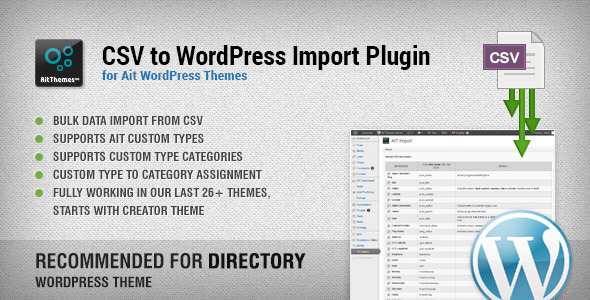
CSV to Wordpress bulk import plugin available for Tour Operator theme:

CSV to WordPress Import plugin is a very useful tool for anybody who wants to bulk import data from CSV file to Tour Operator Wordpress Theme. Plugin works on all recent AIT Wordpress Themes starting from Creator theme upwards.

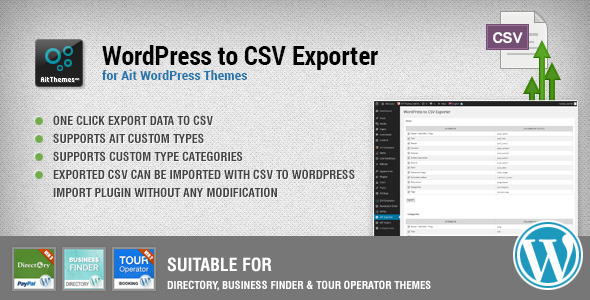
Wordpress to CSV export plugin:

WordPress to CSV Export plugin can be used to export data from Tour Operator Wordpress Theme to CSV file. Plugin works on all recent AIT Wordpress Themes starting from Creator theme upwards. Plugin is not included in the package, it needs to be purchased separately.

Directory & Business Finder Extension Plugin

Directory & Business Finder Extension Plugin extends functionality of our Tour Operator WordPress theme. Plugin is not included in the package, it needs to be purchased separately. Plugin features:
  • Show Directory Items in sidebar via Widget
  • Show Directory Items in content via Shortcode
  • Beautiful gallery for Directory Theme Item page
  • Manage gallery images number per Directory Account
  • Create and manage Item Custom Fields per Directory Account
  • WPML Compatible
  • Online and Offline Documentation
  • Premium support via support forum
  • Plugin updates

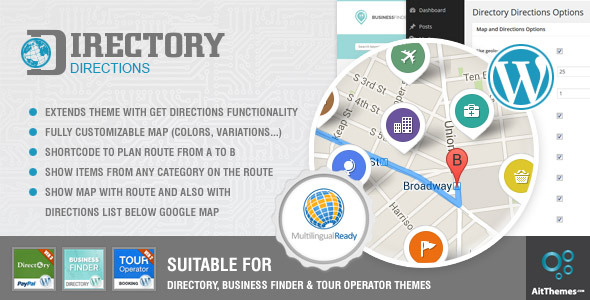
Get Directions Plugin

Get Directions Plugin extends functionality of our directory wordpress themes. Plugin is not included in the package, it needs to be purchased separately. Plugin features:
  • Extends theme with get directions functionality
  • Fully customizable map (colors, variations,...)
  • Shortcode to plan route from A to B
  • Shows items from any category on your route
  • Shows map with route and also with directions list below Google Map
  • WPML Compatible
  • Online and Offline Documentation
  • Premium support via support forum
  • Plugin updates
Easy Admin – beautiful frontend-like access to listing registration and administration without distractions ;) Please check the following url for more details.
Modern adaptive design that looks perfectly on major mobile devices and tables. Theme will adapt to your smaller screen automatically.
Unlimited color settings for almost everything using our easy to use admin panel. Ability to upload your own logo, backgrounds, icons and other images. Everything is styled – tables, headers, paragraphs, images, lists, etc. You won’t need to do it yourself.
Wide / Narrow / Dark layout styles allow you to create website exactly as you need. You can have flashy image in the background using narrow style or have clean design using narrow style. You can also style your website to be dark if you want to.
Revolution Slider features tons of unique transition effects, an image preloader, video embedding, autoplay that stops on user interaction and lots of easy to set options to create your own effects. 16 Customizable transitions, Drag & Drop admin, it comes included in the theme. Feel free to read more about Slider Revolution on the following url.
Easy and user friendly admin panel allows you to do a lot of customizations without knowing any HTML or CSS. Colors, images, widgets, sliders, portfolios, galleries,... almost everything can be customized and configured via admin panel. Final website is in your hands.
Many many ready to use shortcodes for professional looking pages in no time. Shortcodes generator can be launched directly from WYSIWYG editor.
Multilingual support – Theme supports WPML plugin, you can translate your website to any language. PO files are included in the zip file. You can get the WPML plugin from the following url.
Full package – Demo XML content, and online documentation. Everything is as part of the package. Admin branding section allows you to upload your own logo, colors & texts into wordpress admin. Individual admin options can be turned off using config.php file including AIT Dashboard which makes the admin White Labeled.
Theme comes also with customer support and after purchase service. We’ll do our best to answer all of your questions in a professional manner. Purchase this theme with confidence knowing that we’ll always be here to answer all of your questions. Template & MVC framework will be under continuous development. Purchase the theme and get all updates for free.

Other features worth to mention:

  • You can easily Backup all your data and admin settings
  • Many portfolio layouts that can be used on any page.
  • Widgets ready sidebar & footer
  • Image & Template caching for better performance
  • Google Analytics & Google Maps integration
  • Custom CSS field for your own styles
  • Documentation and recent updates accessible directly from our wordpress admin panel
  • Theme is built on our robust MVC framework that means that HTML design is completely separated from other PHP. Making updates cannot be easier.

Versions:

  • v3.16: 29th of September 2015
    • Updated: Register compatibility with wordpress 4.3.1
    • Updated: Widget compatibility issues with wp 4.3.0+
  • v3.15: 8th of September 2015
    • Fixed: Add New button for reservations visible in admin
    • Updated: Revolution slider updated to 5.0.7
  • v3.14: 14th of August 2015
  • v3.13: 9th of June 2015
  • v3.12: 12th of May 2015
    • Added: Support for AIT Announcements Bar plugin
  • v3.11: 23rd of April 2015
    • Important security fix
  • v3.10: 16th of April 2015:
    • Fix: Tour Search distance slider bug in Safari
  • v3.9: 10th of December 2014:
    • Fixed content width, when sidebar widgets are turned off
  • v3.8: 13th of November 2014:
    • Fixed Easy Admin adaptive
  • v3.7: 23rd of October 2014:
    • Fixed infinity items in easyadmin
    • NEW: Compatibility with directions plugin
    • NEW: Google maps language switching
  • v3.6: 23rd of September 2014:
    • Fixed media select on Add New Category/Location screen
  • v3.5: 8th of September 2014:
    • Updated pre-packed Revolution Slider to v4.6.0
  • v3.4: 22nd of August 2014
    • Many geolocation & search fixes
    • Select media form updated
    • Easy admin fixes
    • Admin branding fix
    • Sorting by rating fix
    • Video shortcode fix
    • Fixed leave a reply email field
    • Reset password email fix
    • Other small fixes
  • v3.3: 30th of July 2014
    • Fix: Showing layered pins rattings in the map
  • v3.2: 29th of July 2014
    • Added: Contact details in the listing search page + icons
  • v3.1: 17th of July 2014
    • Fixed: Top Destinations Shortcode display bug
  • v3.0: 11th of July 2014
    • Directory & Business Finder Extension Plugin Support
  • v2.18: 8th of July 2014
    • Empty search fix
  • v2.17: 5th of July 2014
    • WPML search fixes
    • WPML support for translating dates and times
    • WPML other fixes
  • v2.16: 27th of June 2014
    • Updated POT file with new text strings for translation
    • Paypal single payments fix
  • v2.15: 13th of June 2014
    • Fixed: Geolocation bug
  • v2.14: 7th of June 2014
    • Fixed translation for Main Menu text in adaptive menu
  • v2.13: 25th of April 2014
    • Fixed not displaying shortcodes due to accidental use of php short tag
  • v2.12: 24th of April 2014
    • Fixed AIT shortcodes buttons not displaying in editor in Wordpress 3.9+
  • v2.11: 11th of April 2014
    • Hidden items on the map fix
  • v2.10: 5th of April 2014
    • NEW: Ability to hide items from map and show them only in content
    • NEW: Ability to enable / disable cluster
    • NEW: Auto corrections of items with the same positions
  • v2.9: 13th of March 2014
    • Google maps fixes
    • Share buttons fix
    • Translation fix
    • Other fixes
  • v2.8: 26th of February 2014
    • Fixed grid portfolio with portfolio items without featured image
    • Fixed position of Contact Form 7 warning messages
  • v2.7: 8th of February 2014
    • Adaptive design fix
  • v2.6: 23rd of January 2014
    • Grid gallery fix
  • v2.5: 17th of January 2014
    • Fixed search on pages without map
  • v2.4: 26th of November 2013
    • Skinning system fix
  • v2.3: 31st of October 2013
    • fixed items pagination for search results and categories/destinations pages
    • fixed items pagination in easy admin
    • small backend fixes
    • added sending email to reservation sender
  • v2.2: 24th of October 2013
    • Sidebar Search Box style fix
  • v2.1: 4th of October 2013
    • NEW: Geolocation Support
    • NEW: Listing Sorting
    • NEW: Featured items
    • NEW: Show offers in search results
    • Rating fixed
    • Nothing found page fixed
    • Other small fixes and improvements
  • v2.0: 27th of September 2013
    • NEW: Interactive ajax search
    • NEW: Frontend registration for guests
    • NEW: Easy admin – registered guests can log in and administer their own listings
    • NEW: Administrator can define packages and set the price
    • NEW: Paypal payments integration
    • Other small fixes and improvements
  • v1.6: 27th of August 2013
    • Documentation fix
    • Default content update
  • v1.5: 21st of August 2013
    • CSS fixes for iPad
  • v1.4: 6th of August 2013
    • jQuery fix for Wordpress 3.6
  • v1.3: 20th of July 2013
    • Small shortcode fix
  • v1.2: 13th of July 2013
    • Small CSS fixes
  • v1.1: 11th of July 2013
    • Permissions bug fixed
    • Item comments bug fixed
  • v1.0:
    • Theme release

Tags:

White, grey, black, light blue, dark blue, light green, purple, gold and yellow. Hotel & hospitality, restaurant, real estate, marketing company, blog, cms, portfolio website, software & computer sales, information technology, travel & tourism, solicitors, car business, music industry, food & drinks, human resources and personal relations organizations, school, university and college websites, science, magazine & community websites, blog.
Note: Images used on our demo sites are proprietary images and are not included in the theme package.

WordPress Template North v2.0.0 – Unique E-Commerce Theme


North – Overview

  • One – Click installation and setup
  • Child Theme Included
  • WordPress 4.0+ Ready
  • WooCommerce 2.2+ Ready
  • WPML Ready with language switcher (.po files included)
  • WooCommerce Multilingual Ready with price switcher
  • Drag & Drop elements
  • PSD files and assets included
  • SCSS files included!
  • SEO Optimized, Great SEO base already built-in (compatible with SEO Plugins like Yoast)
  • Build every layout you can think of using Visual Composer
  • 600+ Google Fonts
  • Post Formats Support – Image, Gallery, Video, Standard
  • Custom Widgets
  • Strong focus on typography, usability and overall user-experience
  • Super-Enhanced Performance For Viewers
  • Compatible with Many Popular E-Commerce Plugins
  • Unlimited Color Options
  • RTL Ready for languages like Hebrew & Arabic
  • Ability customize every aspect of the theme
  • Premium E-Commerce plugins:

5 Star Support

Whenever you have an issue with our theme or WordPress in general, we are here to assist you. Post a comment or open a ticket here.

Image Credits

  • istockphoto.com
  • shutterstock.com
  • dimitriburtsev.com
  • picjumbo.com
  • designmadeingermany.de

UPDATE 2.0.0 – 29.09.2015

Added Ajax Product Search
Added Mega Menu Support with background
Added option to toggle of product zoom
Added Blog - Grid option
Added Support for Level 2-3 dropdown for mobile menu

Latest Visual Composer Compatibility
Updated Plugins
Updated Demo Content
Updated Language files
Speed Improvements
Misc fixes

Changed files:
- Nearly all files have been changed.